An AI knowledge base sounds like the responsible default: upload the docs, chunk them, embed them, rank them, and ask the model to answer. That is useful when the problem needs it. But for a large class of internal tools, agent skills, docs folders, codebases, support libraries, and operating manuals, the simpler default is better: keep the files where they are and let GPT search them.
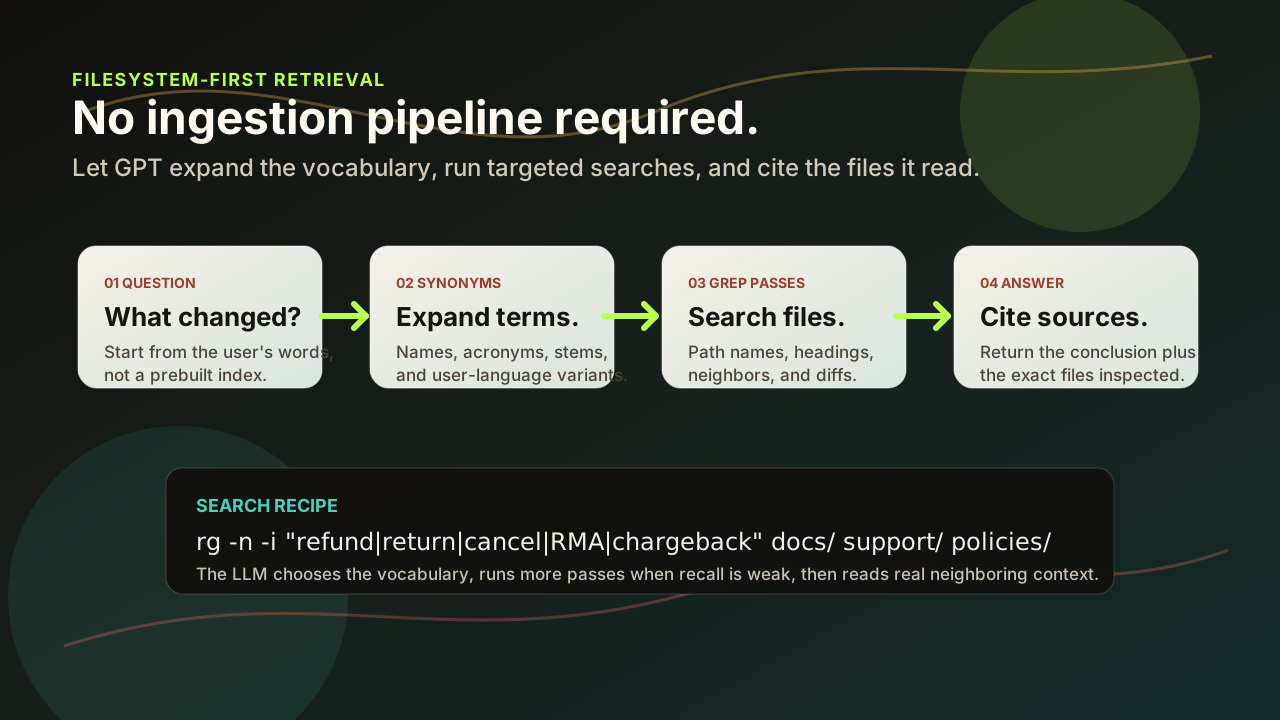
A knowledge base should be an earned optimization. The default should be filesystem-first retrieval until a measured failure proves you need more.
The filesystem is already a knowledge system
A folder tree is not just storage. It carries hierarchy, names, dates, authorship through version control, diffs, permissions, file extensions, neighboring context, and human intent. A model can use all of that.
Dedicated knowledge bases often erase those signals during ingestion. They turn living documents into chunks, then ask a ranking layer to guess which fragments matter. That can work, but it also creates a second source of truth. The index can go stale. Chunk boundaries can split the answer from the evidence. Ranking can feel confident while hiding the file a human would have opened first.
Semantic similarity is a search loop
Many "semantic search" problems are vocabulary problems. A user asks for cancellation rules. The files say refund, return, RMA, chargeback, cooling-off period, or customer credit. A basic exact search misses the match. A GPT agent does not have to miss it.
The model can translate intent into a wider query set, search those terms, inspect nearby headings, follow path names, and rerun the search when recall looks weak. That is semantic similarity as an active procedure instead of a frozen embedding lookup.
rg -n -i "refund|return|rma|cancel|chargeback|customer credit" docs/ support/ policies/
The important part is not the command. It is the loop: choose related words, search, read real context, update the query, and cite the exact files used.
The grep protocol for agents
A filesystem-first agent does not randomly scan the repo. It follows a tight protocol that is easy to audit.
- Start with the user's phrase. Search the exact words first so obvious matches stay obvious.
- Expand the vocabulary. Generate synonyms, acronyms, stemmed forms, plural forms, product names, filenames, and likely headings.
- Search paths and contents. Use `rg`, `find`, extension filters, and path hints. File names often carry better intent than body text.
- Read around the hit. Inspect neighboring sections, linked files, imports, examples, and recent diffs before forming the answer.
- Run a negative pass. Search for terms that would contradict the answer: deprecated, exception, override, archived, migration, rollback, or retired.
- Return citations, not vibes. The final answer should name the files and the specific facts pulled from them.
Why this beats most default knowledge base projects
No ingestion lag.
The newest file is searchable the moment it lands. There is no separate index refresh path to debug.
No hidden chunk boundary.
The agent can read the whole section, adjacent files, and examples instead of trusting a fragment.
No second source of truth.
Review, permissions, history, and ownership stay attached to the files people already maintain.
No ranking theater.
When the answer is wrong, you can inspect the search terms and missed files instead of guessing why a scorer preferred one chunk.
What a knowledge base still does well
This is not an argument against retrieval infrastructure. It is an argument against making it the first move.
- Use a dedicated system when the corpus is too large for practical repeated file search.
- Use one when you need strict latency across many users and repeated queries.
- Use one when ranking quality is measured and demonstrably better than file search.
- Use one when connectors, multi-tenant access rules, analytics, or non-text media make the filesystem insufficient.
- Use one when the retrieval layer itself is a product surface, not plumbing.
The architecture should start smaller
The default architecture is almost boring. Store knowledge as plain files. Keep names descriptive. Put durable behavior into scripts. Let the agent search with synonym expansion. Make it cite files. Add a regression test when it misses an important answer. Only then decide whether a heavier retrieval layer is worth the cost.
What to copy
If you are building an agent workflow, start with the retrieval loop you can inspect in a terminal.
- Use markdown, JSON, CSV, SQLite, source files, and small assets before inventing a knowledge layer.
- Name files with the words users actually use.
- Teach the agent to generate synonyms and run multiple searches.
- Require final answers to cite source files.
- Promote repeated searches into scripts so the loop compounds.
- Measure misses before adding retrieval infrastructure.
The real change
LLMs make search less brittle because the model can do the vocabulary work that humans used to encode into taxonomies. The filesystem stays simple. The agent gets smarter about searching it.
That is the inversion: do not move your knowledge into a new system just so an agent can understand it. First, make the agent good enough to search the system you already trust.